Avoid the $50,000 Fine: The Ultimate 2026 Guide to HIPAA Compliance Software for Small Dental Practices
By Vsurgemedia | Healthcare Technology Series
HIPAA compliance software for small dental practices
Introduction: The "Silent Risk" in Your Dental Office
It is a Tuesday morning in your dental clinic. The waiting room is full, the hygienists are busy, and your inbox is flooding with patient X-rays and referral updates. Everything seems efficient.
But hidden in that efficiency is a silent risk that could bankrupt your practice.
If you are a small dental practice owner in the United States, 2026 is not the year to "guess" about your data security. With the Department of Health and Human Services (HHS) aggressively ramping up audits on small providers (not just large hospitals), the era of flying under the radar is officially over.
Here is the harsh reality: A single unencrypted email sent to a patient, or a lost iPad containing patient records, can result in a Tier 4 violation fine of up to $50,000 per incident, with an annual cap of $1.5 million.
For a small clinic operating on thin margins, that is not a penalty; that is a bankruptcy event.
The solution isn't just "being careful"—human error is inevitable. The solution is implementing robust HIPAA compliance software for small dental practices. But with hundreds of SaaS options flooding the market, costing anywhere from $300 to $1,000 a month, how do you choose one that protects you without eating your profits?
In this comprehensive 2026 guide, we will move beyond the basic definitions. We will analyze the top market solutions, expose the hidden risks of "off-the-shelf" software, and explain why Custom AI Automation (powered by Vsurgemedia’s Kaiee) might be the safer, smarter bet for the modern dental office.
Chapter 1: The Regulatory Landscape in 2026 (Why You Need Software)
HIPAA (Health Insurance Portability and Accountability Act) was signed in 1996, but the digital landscape of 2026 makes compliance harder than ever.
The Rise of "Cyber-Dentistry"
Today, a dental practice isn't just about chairs and drills. It is a digital hub.
PMS (Practice Management Systems): Dentrix, Eaglesoft, Open Dental.
Imaging: Digital X-rays (Dexis, Sidexis).
Communication: Email, SMS, WhatsApp reminders.
Every single point of data transfer is a potential leak. The HHS isn't looking for malicious intent; they are looking for "Willful Neglect."
The Cost of Non-Compliance
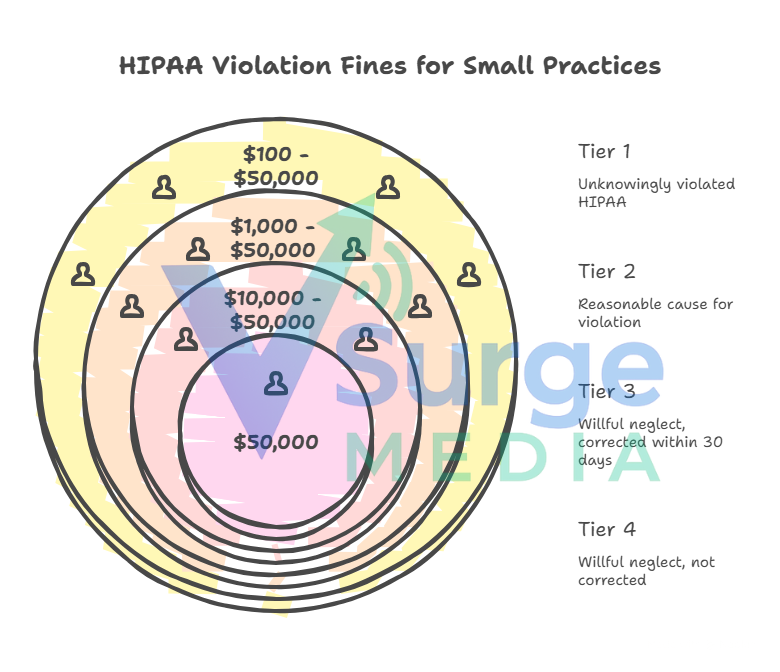
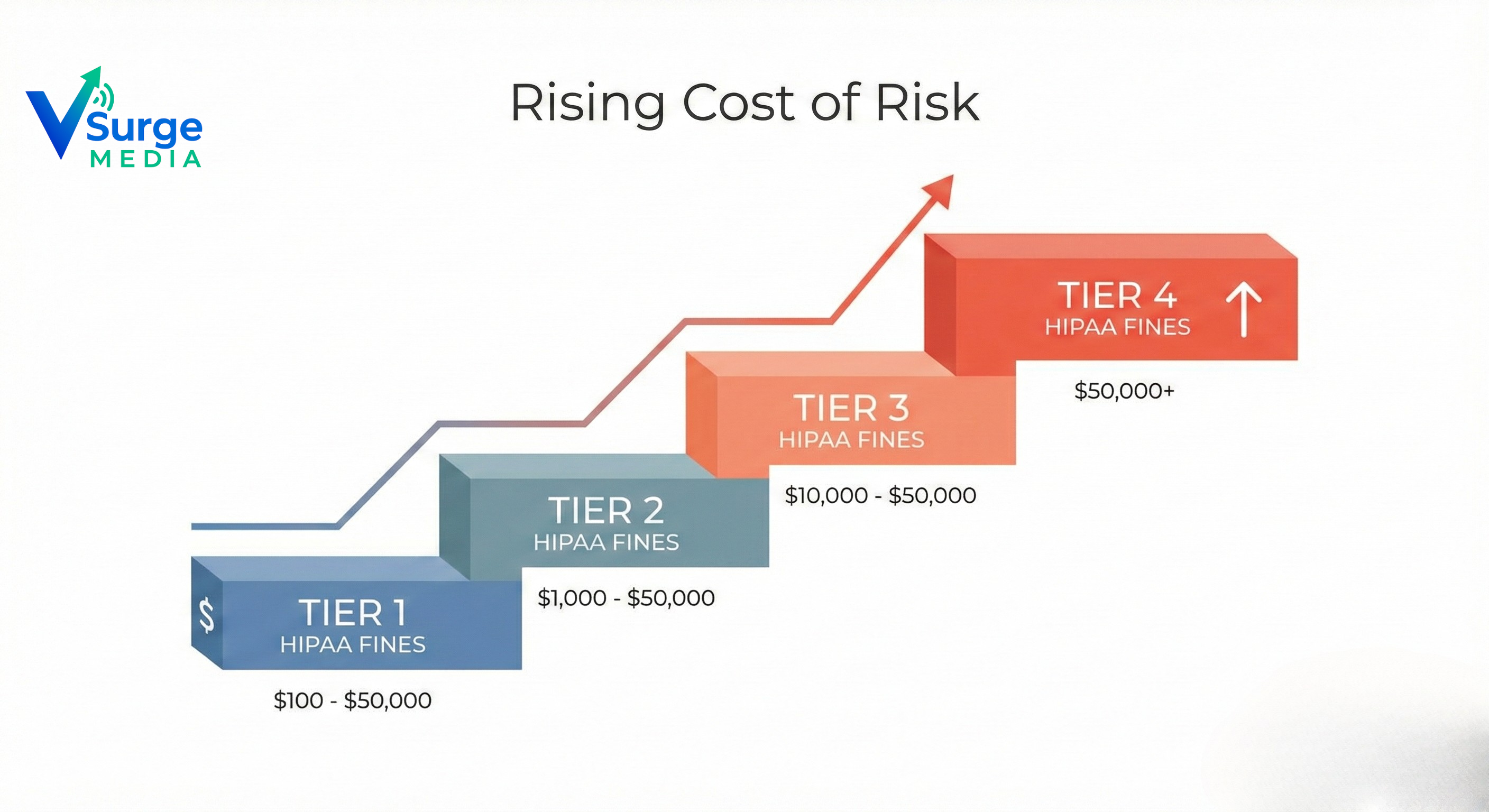
If you think HIPAA compliance software for small dental practices is expensive, consider the alternative. The fines are categorized into four tiers based on severity:
Tier 1: Unknowingly violated HIPAA. ($100 - $50,000 per violation).
Tier 2: Reasonable cause (you should have known). ($1,000 - $50,000 per violation).
Tier 3: Willful neglect but corrected within 30 days. ($10,000 - $50,000 per violation).
Tier 4: Willful neglect and not corrected. ($50,000 per violation).
Most small practices fall into Tier 3 because they know they should use encrypted email but choose Gmail for convenience. Software removes this choice/risk.
Chapter 2: The 7 Pillars of Dental HIPAA Compliance
When evaluating HIPAA compliance software for small dental practices, you cannot simply buy a tool and forget it. The software must address the three "Safeguards" defined by the Security Rule: Administrative, Physical, and Technical.
Here are the 7 Pillars your software must automate:
1. Privacy & Encryption (The Core)
All electronic Protected Health Information (ePHI) must be encrypted "At Rest" (on your server/cloud) and "In Transit" (email/text).
- The Trap: Standard Outlook or Gmail is NOT encrypted by default.
2. Access Control (The Gatekeeper)
Does your front-desk receptionist have the same database access as your lead surgeon? They shouldn't. Good software forces "Role-Based Access Control" (RBAC).
3. Audit Controls (The Black Box)
If a breach happens, can you prove who accessed the file? Your software must maintain an immutable log of every click, view, and edit made to patient records.
4. Integrity (Data Backup)
Ransomware attacks on dental clinics rose by 40% in 2025. Your software must ensure ePHI is backed up securely and can be restored without corruption.
5. Transmission Security
When you send a referral to a periodontist, how does the X-ray travel? If you attach it to a standard email, you are non-compliant.
6. Business Associate Agreements (BAA)
This is non-negotiable. Any vendor (IT guy, shredding company, software provider) touching your data must sign a BAA. Good software manages these contracts for you.
7. Incident Response Plan
What happens if you do get hacked? The law requires a specific notification timeline. Automated software guides you through this panic-inducing process.HIPAA compliance software for small dental practices
Chapter 3: Market Analysis – Top Software vs. Custom Automation
The market for HIPAA compliance software for small dental practices is crowded. Let’s look at the "Big 3" incumbents and compare them to the new wave of Custom Automation.
1. Rectangle Health
Overview: A giant in healthcare payments and compliance.
Pros: Integrates payment processing with compliance; very trusted brand.
Cons: Extremely expensive for small clinics; often includes features you don't need (bloatware).
Verdict: Good for large DSOs (Dental Support Organizations), overkill for a single-doctor clinic.
2. Paubox
Overview: Focuses almost entirely on Encrypted Email.
Pros: Seamless integration with Google Workspace; zero-step encryption (no passwords for patients).
Cons: It’s a "Point Solution." It handles email perfectly but doesn't solve your physical security audits or staff training.
Verdict: Excellent add-on, but not a complete compliance suite.
3. Compliancy Group (The Guard)
Overview: A coaching/software hybrid that offers the "Seal of Compliance."
Pros: Very thorough; includes staff training modules.
Cons: Can be manual and time-consuming to set up; rigid workflow.
Verdict: Best for practices terrified of audits who want a "Certificate" on the wall.
4. The Challenger: Vsurgemedia's Custom Automation (Kaiee)
In 2026, smart dental practices are moving away from rigid SaaS subscriptions toward Custom AI Automation. Instead of buying a generic tool, clinics are partnering with Vsurgemedia to build HIPAA-Compliant Workflows using our engine, Kaiee.
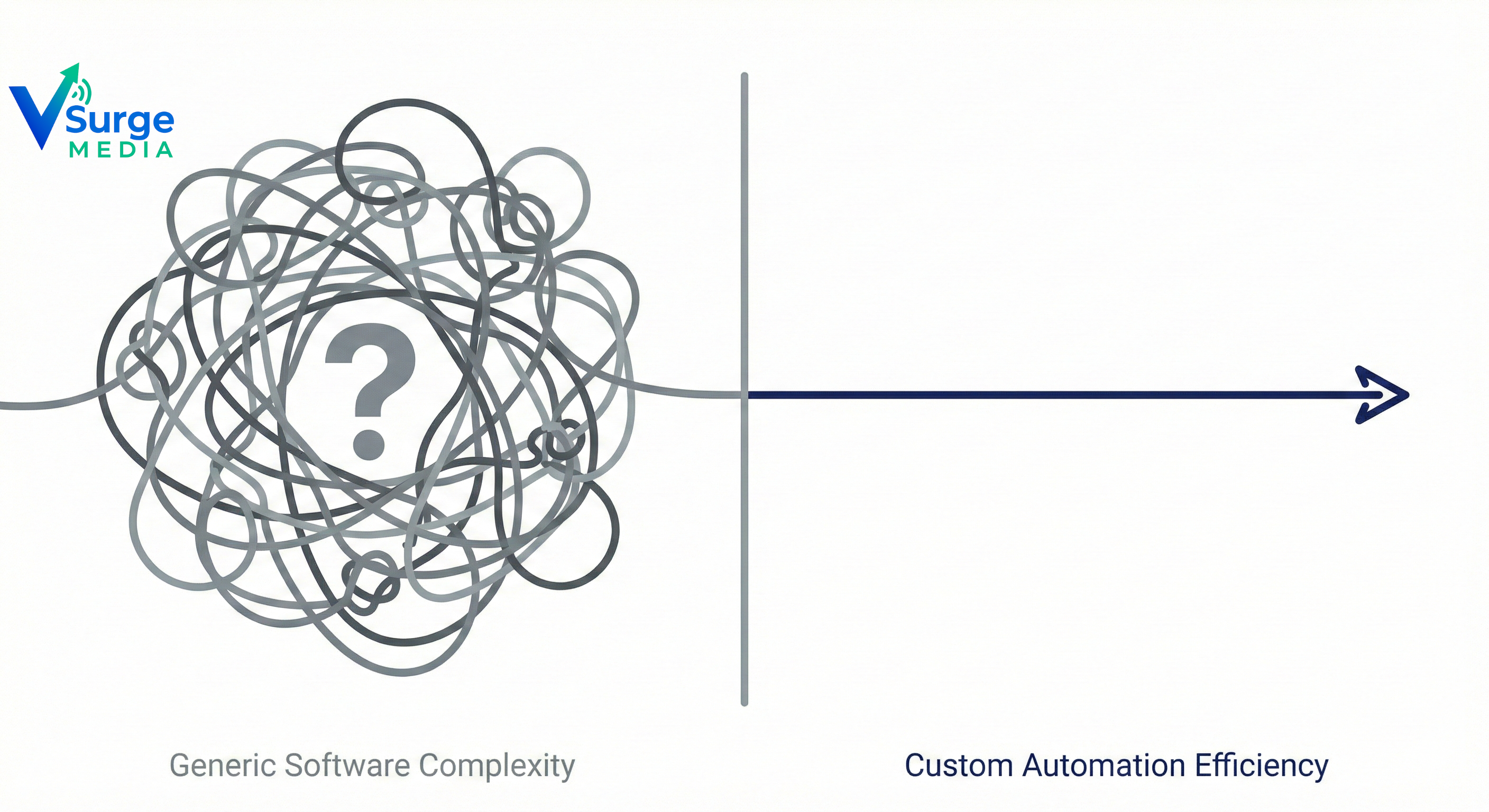
Why Custom Wins: Generic software forces you to change your workflow. Kaiee adapts to your workflow.
HIPAA compliance software for small dental practices
FeatureGeneric SaaS (Rectangle/Compliancy)Vsurgemedia/Kaiee Custom SolutionSetup CostLow upfront, High monthlyValue-Based Flat Pricing****Data SyncOften requires manual exportAutomated API Sync with PMSPatient IntakeStatic PDF FormsInteractive WhatsApp/SMS Bots****CustomizationZero (Take it or leave it)100% Tailored to your clinicAudit ReadinessGeneric ReportsCustom Audit Trails
Chapter 4: Why "Off-the-Shelf" Software Fails Small Practices
You might ask, "Why shouldn't I just buy the big brand software?" Here is the problem specifically for small dental practices:
1. The "Integration Gap"
Most big compliance platforms do not talk to older versions of Dentrix or Eaglesoft. This leads to the "Double Entry" problem where your staff enters patient data in the PMS and then manually enters it again into the compliance portal.
- Result: Human error increases. Security decreases.
2. Subscription Fatigue
A small practice already pays for PMS, Imaging software, and Payroll. Adding another $500/month subscription for a tool you only use during audits hurts profitability. Custom Automation allows you to build a lean, permanent asset rather than renting a bloated tool forever.
3. The "Training" Nightmare
Generic software comes with complex dashboards. Your front desk staff is busy checking in patients; they don't have time to learn a complex new OS. Vsurgemedia’s Solution: We build compliance into tools they already use (like Email and Browser Extensions), so compliance becomes invisible and automatic.
Chapter 5: The "Kaiee" Advantage – Automating Compliance
At Vsurgemedia, we use our proprietary engine, Kaiee, to solve the unique challenges of dental compliance. Here is how we use automation to keep you safe:
The "Zero-Touch" Patient Intake
Old Way: Patient fills a paper clipboard. Staff manually types it into the computer. (High risk of lost paper).
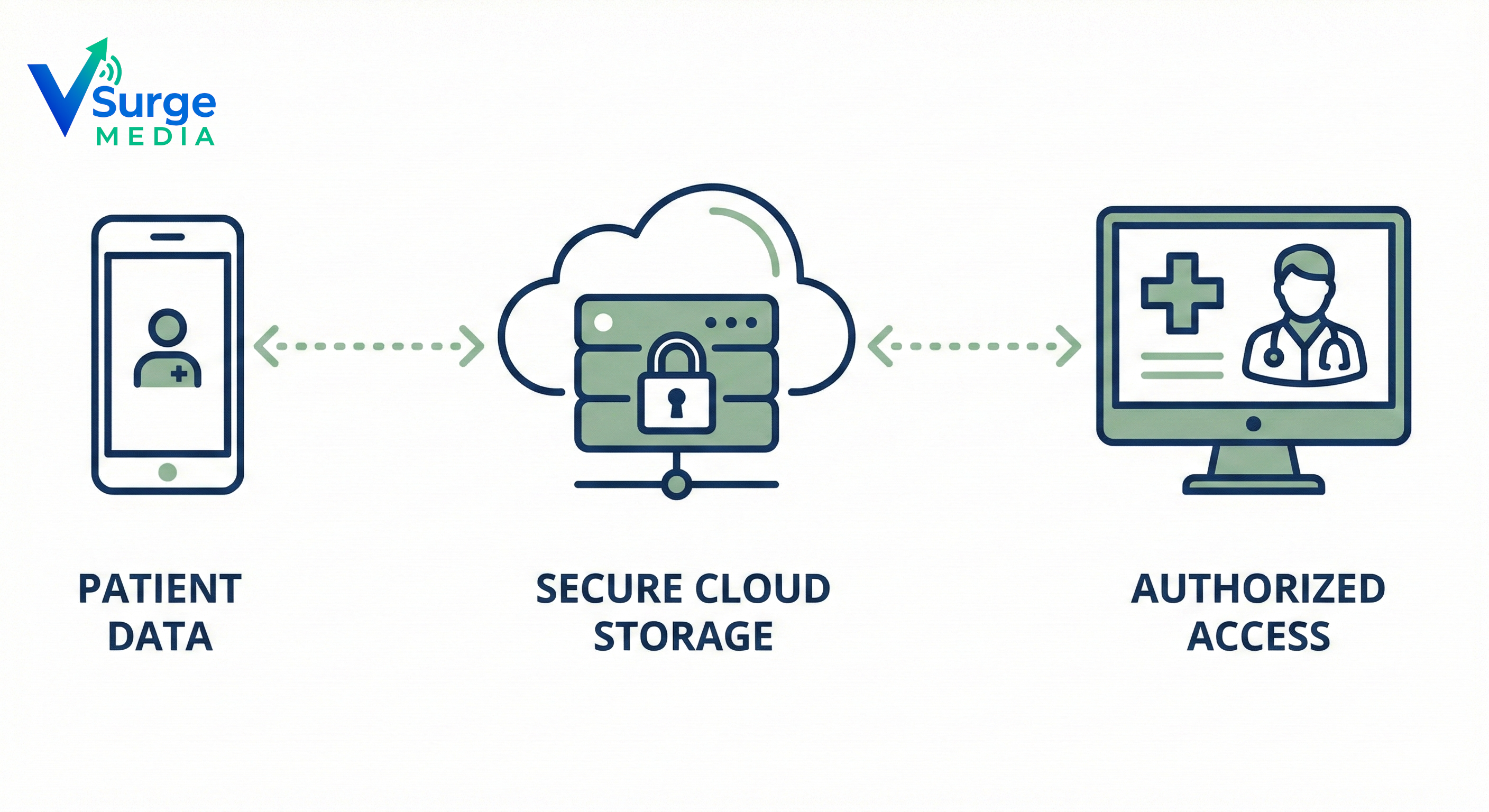
Kaiee Way: Patient receives a secure link via SMS before the appointment. They fill the form on their phone. Data is encrypted and pushed directly into your PMS via API. No paper. No typing. 100% HIPAA compliant.
The "Smart" BAA Manager
Old Way: You have a binder full of contracts somewhere in a cabinet.
Kaiee Way: Our system tracks every vendor. If a BAA is about to expire, the AI sends an automated renewal request to the vendor for digital signature.
Automated Breach Detection
Old Way: You find out about a hack months later.
Kaiee Way: Our custom scripts monitor file access logs. If a user downloads 500 patient records at 3 AM (unusual activity), the system locks the account and alerts the owner instantly.
HIPAA compliance software for small dental practices
Chapter 6: Your 30-Day Implementation Roadmap
Choosing HIPAA compliance software for small dental practices is just step one. Here is how Vsurgemedia implements a secure workflow in 30 days:
Week 1: The Risk Assessment (SRA). We run a digital scan of your network to find unencrypted ports and weak passwords.
Week 2: The Remediation Plan. We deploy Kaiee to patch the holes. We encrypt your email gateway and set up secure backups.
Week 3: Automation Setup. We connect your PMS to our secure forms and set up the automated BAA manager.
Week 4: Staff Training & Launch. We train your team on the new "Invisible Compliance" workflow.
Chapter 7: FAQ – Your Questions Answered
We know this is complex. Here are the most common questions US dentists ask us about compliance software.
Q1: Is Gmail HIPAA compliant? Answer: The free version of Gmail is NOT. However, Google Workspace (paid) can be made compliant if you sign a BAA with Google and configure specific settings. Vsurgemedia can configure this for you.
Q2: Do I really need software? Can’t I just use paper? Answer: You can use paper, but you must physically secure it (double locks). And the moment you type that data into a computer to bill insurance, you fall under the "Security Rule" for ePHI. In 2026, a purely paper office is impossible.
Q3: How much does a custom HIPAA automation solution cost? Answer: While enterprise software costs $6,000+ per year forever, a custom build by Vsurgemedia is often a one-time development fee with a minimal maintenance cost. Over 3 years, custom automation is usually 40% cheaper than SaaS subscriptions.
Q4: What happens if I fail an audit? Answer: Aside from the fines ($50k+), you face a "Corrective Action Plan" (CAP) where the HHS monitors your practice for years. It destroys your reputation. Prevention is infinitely cheaper than the cure.
Conclusion: Security is an Asset, Not an Expense

Investing in the right HIPAA compliance software for small dental practices buys you something priceless: Peace of Mind.
Do not wait for an audit letter to arrive in the mail. Do not wait for a ransomware attack to lock your patient files.
Whether you choose a standard SaaS platform or opt for Vsurgemedia’s Custom AI Automation (Kaiee), the goal is the same: Protect your patients, protect your license, and protect your legacy.
In 2026, the best dental practices are the ones that use technology to make safety invisible and automatic.
Is your Dental Practice Audit-Proof? Stop relying on manual checklists. Let's build a secure, automated workflow for your clinic.
Ready to grow your business?
Let's discuss how Vsurge Media can help you achieve your goals.
Book a Free Consultation