One UI 9 for Galaxy S25 Ultra Is Here: New Features, India Rollout & Should You Update?
Last updated: September 29, 2026
If you own a Galaxy S25 Ultra, the wait is nearly over. Samsung has started pushing the stable One UI 9 update to the S25 series, bringing Android 17 and a long list of Galaxy AI, privacy and health upgrades to one of the most popular Android flagships in the world.
Right now the update is live only in South Korea. It started there on September 28, 2026, less than a month after Samsung opened the One UI 9 beta to S25 owners. That quick move from beta to stable is a good sign. Most of the heavy testing happened on the Galaxy S26, which has been running One UI 9 betas since May.
Here's everything that's new, when you can expect it in India, and whether you should install it on day one.
One UI 9 on the S25 Ultra: The Quick Version
Android version: Android 17
Stable rollout started: September 28, 2026 (South Korea)
Firmware: S938NKSUCDZIF (Galaxy S25 Ultra, Korea)
Update size: ~534MB for beta testers; several GB for everyone else
India status: Expected soon, no official date yet
Headline features: Now Nudge, My FanCam, customisable Quick Panel, Security Brief, Privacy Alerts, Scam Detection, Warranty and Care, redesigned Samsung Health
When Will One UI 9 Reach the S25 Ultra in India?
This is the question flooding Samsung's community forums right now, and the honest answer is that Samsung hasn't committed to a date.
The company has also been unusually indecisive this cycle. It first pointed to September 21 for the wider rollout, then moved it to September 28, and then removed the date entirely. Samsung Thailand did confirm that the S25 series and the Galaxy Z Fold 7 and Z Flip 7 would begin receiving One UI 9 from September 28.
India matters to Samsung. It was one of only four countries (with South Korea, the UK and the US) where Samsung ran the One UI 9 beta for the S25 series. Based on how past updates have rolled out, Indian users can reasonably expect the stable build within the next one to two weeks.
Tip: Don't rely on notifications alone. Check manually every few days under Settings > Software update > Download and install.
The New Features That Actually Matter
One UI 9 debuted on the Galaxy Z Fold 8 Ultra, Fold 8 and Flip 8, then reached the Galaxy S26 series on September 16. The S25 Ultra gets almost the same core experience. These are the changes you'll actually feel.
Now Nudge Gets Genuinely Useful
Now Nudge is Samsung's way of guessing your next step before you take it. In One UI 9, it shows suggestions in more places, including a small floating button at the bottom right of your screen, even when the keyboard isn't open.
The practical example Samsung gives is a good one. When you're making plans over text, you can pull up reservation details or save a shared location to Google Maps without leaving the chat. It works with Samsung Messages, Google Messages and Google Chat.
My FanCam Turns You Into a Video Editor
This is the feature most people will show off. My FanCam lets you pick one person in a recorded video, and the phone automatically follows and reframes the footage to keep them centred.
Think of your child's school performance, a friend on the dance floor or a player at a local cricket match. Instead of manually cropping, you get a clean, social-ready clip focused on the person you care about. For anyone who makes Reels or Shorts, this alone is worth the update.
Now Brief Becomes Your Brief
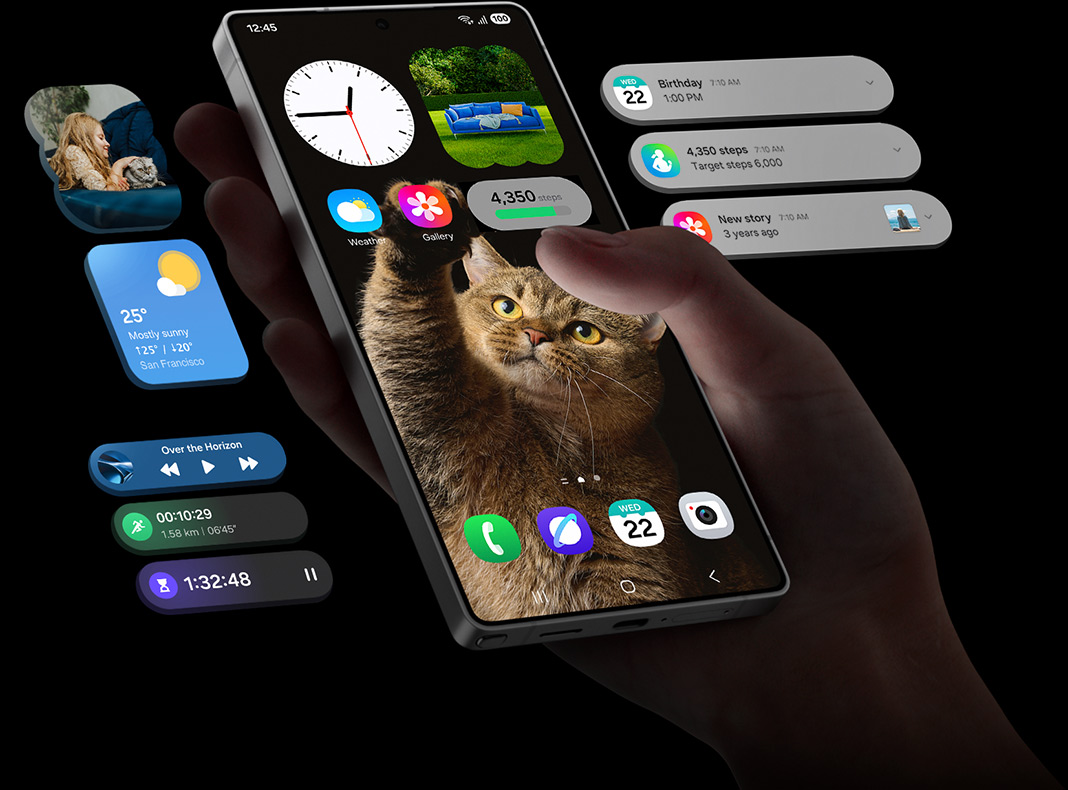
Now Brief, the daily summary card, now supports generative and editable cards. You choose what shows up, across health, weather and video, instead of accepting whatever Samsung decides is relevant.
A Quick Panel You Can Finally Rearrange
This one sounds minor but you'll use it dozens of times a day. The Quick Panel now has a bigger editable area. You can resize the brightness and volume sliders and the media player, and even separate the Sound Mode button from the volume slider.
Galaxy AI Upgrades Across the Board
Interpreter gets a Thread View, so you can scroll back through a translated conversation while it's still happening. Translation in Conversation Mode is also faster.
Creative Studio suggests image ideas based on upcoming events. For example, it will prompt you to design a greeting when a friend's birthday is near.
Document Scan handles curved book pages and folded corners much better.
Voice Recorder summaries now use headings and tables, so meeting notes are easier to scan.
Call assist shows relevant schedule details on screen while you're on a call.
Privacy and Security: The Quiet Winner
Flashy AI features get the headlines, but the security upgrades in One UI 9 may be the most valuable part of this update, especially for Indian users.
Scam Detection is coming to India. Samsung has confirmed the feature is expanding to India, Japan and Canada. In Korea, the system can analyse call audio for known voice-phishing patterns and warn you about AI-cloned voices. With digital-arrest and fake-KYC scams at record levels in India, this could protect a lot of people.
Security Brief adds alerts for malware, apps from unknown sources and unnecessary permissions directly into Now Brief. Apps flagged as malicious are blocked from running until you decide what to do with them.
Privacy Alerts use on-device AI to warn you when an app accesses your personal data in the background without a good reason.
Location indicator: a blue dot now appears whenever an app uses your location. Tap it in Quick Settings to see exactly which app it was.
Instant secure lock: press and hold Volume Down and the Side button together to lock your phone instantly. Biometric unlock is disabled in this state, which is useful if you're ever forced to hand over your phone.
Samsung Health Gets Its Biggest Makeover Yet
Samsung Health has been completely redesigned with cleaner charts and a customisable home screen, where you can resize cards and group them by activity, sleep, mindfulness and nutrition.
New additions include:
Heart Health score: a daily score based on sleep, exercise, BMI and vascular stress
Cardio Load tracking: shows how hard your workouts are pushing your heart, and when to rest
Physical Fitness Score: combines body composition, endurance, strength, flexibility and muscular endurance into one number
Hearing tracker: monitors ambient noise and earphone volume to protect your hearing
Faster logging: record meals and mood right from the home screen, even using your camera
Note that many of these insights work best, or only work, with a Galaxy Watch or Galaxy Ring.
The Smaller Changes You'll Notice Every Day
Warranty and Care menu in Settings: check your warranty, run self-diagnostics, see repair estimates and book a service appointment in a few taps
Redesigned lock screen clock that adjusts its style to match your wallpaper
Samsung DeX gets easier multi-desktop switching, with desktop previews in Recent apps
Samsung Notes adds a Tape tool to hide parts of a note and new pen styles, which is perfect for the S Pen
Bixby lets you rename, pin and delete conversations, and adds a home screen widget
Accessibility: select any on-screen text to enlarge it, plus a new "Read text aloud" option that works without turning on TalkBack
Should You Install It Right Away?
For most people, yes, but give it a few days.
Feedback from the beta was mixed. Some S25 users reported battery drain and glitches in apps like YouTube and Gemini during early builds. Others said battery life actually improved and the software felt as polished as a stable release. Samsung's third beta focused entirely on bug fixes, including camera stability, before the stable build went out.
Our advice is simple:
Update immediately if you want the new security features, and Scam Detection in particular.
Wait 5–7 days if your phone is your only work device or you depend on banking apps. Let early adopters find any leftover bugs first.
Always back up before a major Android version upgrade, however smooth the rollout looks.
One more thing worth remembering: One UI 9 is the S25 Ultra's second major Android upgrade. Samsung promised seven years of OS and security updates when the phone launched in January 2025, so your S25 Ultra has a long software life ahead of it.
Final Verdict
One UI 9 isn't a dramatic visual overhaul, and it doesn't need to be. It makes the S25 Ultra smarter, safer and more personal in ways you'll notice every day, from a Quick Panel that finally works your way to AI that can flag a scam call before it costs you money.
The only frustrating part is the wait. Samsung's shifting dates haven't helped, but the Korean rollout means the rest of the world, India included, is next in line.
We'll update this article as soon as One UI 9 lands on Indian S25 Ultra units. Bookmark this page, and tell us in the comments: which One UI 9 feature are you most excited about?
— Vikash Kumar VSurgeMedia Kolkata
Ready to grow your business?
Let's discuss how Vsurge Media can help you achieve your goals.
Book a Free Consultation